Discover 6 top-rated heavy-duty power cords built for construction sites. Compare OSHA-compliant options with GFCI protection, weather resistance & pro-grade durability. Construction sites demand power cords that can handle extreme conditions, heavy-duty equipment, and constant. Construction power cable is widely used in building electrical systems, infrastructure projects, industrial construction, commercial facilities, underground distribution networks and utility power supply systems. For project buyers, contractors and electrical engineering teams, choosing the right. In the UK & Europe cables used in this industry are, with the exception of fire performance cables, subject to the Construction Products Regulation (CPR). Choosing the right cable usually depends on the type of machine or equipment that needs to be powered. Some of the common types of cables used on construction sites are rubber cables, which are ideal for use on. Klaus Faber AG provides you with cables and connectivity solutions for construction site power distribution, temporary cabling for large equipment and tunnel cables for the infrastructure.
[PDF Version]
groov® EPIC power supplies, converters, and adapters provide AC or DC options to power your Opto 22 groov EPIC system. The Relevance Inspector will open in the Coveo Administration Console. The power supply and the voltage. Power Integrations offers a broad range of LED driver ICs for commercial office and hospitality buildings, encompassing power outputs from 2 to 400 W. The GRV-EPIC-PSAC power supply and the. Intelligent I/O modules that can work independently as data acquisition points in Node-RED flows and custom control programs, or as remote I/O units in CODESYS applications and PAC Control strategies. groov RIO modules come with groov Manage, CODESYS® Runtime, Node-RED, and Secure Shell. The heart of MILOO LIGHTING products is the power supply module with sequential power supply technology fully integrated with the lighting luminaire. Implemented it can extend product.
[PDF Version]
Connecting a UPS to your power supply involves several straightforward steps. First, identify the devices requiring backup power and calculate their combined wattage to select an appropriately sized UPS. UPS units come in various capacities, measured in volt-amperes (VA) or watts (W). While an inverter can provide general backup power for your home but a dedicated UPS for the computer. Learn how to safely connect a UPS to your critical equipment, whether for industrial machinery, data centers, or home offices. Why Proper UPS Installation Matters A UPS act Need reliable power. Proper installation and setup of an Uninterruptible Power Supply (UPS) are crucial to ensure reliable power protection for your equipment. It ensures that critical systems, such as computers, servers, and telecommunications equipment, remain operational even during power outages. We'll show you how to install and connect your UPS step-by-step. more Whether you're a DIY enthusiast or a homeowner, this tutorial will provide you with the knowledge and skills.
[PDF Version]
The article provides an overview of protective relaying principles and their applications for high-voltage power system components. It covers the protection methods for generators, transformers, buses, and transmission lines using various relay types to detect and isolate faults. Relay protection is essential to ensure the stability, reliability, and safety of electrical power systems. Effective relay protection depends on. revenue streams are being unlocked. Power interruptions drain an estimated $150 billion annually from the U. economy, and many of these costly losses start with a fault that lasts less than a second.
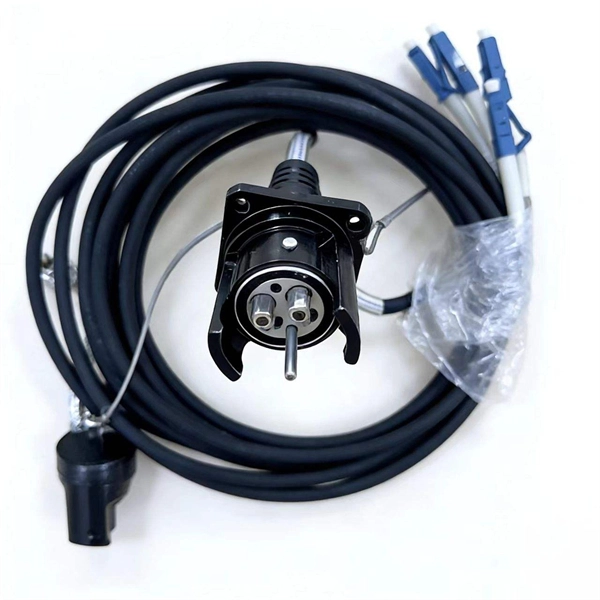
A distribution box comprises Engineering Thermoplastics such as Polycarbonate (PC), Acrylonitrile Styrene Acrylate (ASA), or epoxy-coated or powder-coated stainless steel. Below are the essential components that ensure proper functioning and safety found in most DB boxes:A construction power distribution box is a critical component on job sites, ensuring safe, reliable, and organized delivery of electrical power to tools, equipment, and temporary installations. Today, electrical systems are essential for homes and industries. We also highlight how reliable manufacturers like NUOMAK support stable, compliant, and cost-effective power distribution. ENERGY METALBOX range consists of construction site distribution boards in metal cabinets with technopolymer socket-outlets. The steel sheet enclosure is fitted with double lock doors to prevent non-authorised persons from accessing connection and disconnection operations. This section concentrates upon commonly used power distribution equipment: Panelboards, Switchboards, Low-Voltage Motor Control.
[PDF Version]
Power: Connect the power cable to the power supply unit (PSU) at the rear of the computer and then to a wall outlet. The system will boot up and guide you through the initial Windows 11 Pro setup process. Headset connector Connect USB-compatible devices, such as a USB keyboard, USB 3. Press the power button located on the front of the. How do I connect my Lenovo Legion T5 to a Wi-Fi network? To connect your Lenovo Legion T5 to a Wi-Fi network, navigate to the Network settings in the Windows Start Menu, select Wi-Fi, and choose your network from the available options. What should I. This section provides instructions on how to remove and install hardware for your computer. 1 “Important safety information” on page 1. Before you remove the power cord. I've already upgraded the RAM from one Samsung generic stick that came with the prebuild to Corsair LPX Vengeance 2x16 gb running on dual channels.
[PDF Version]Contact us for competitive quotes on any of our power communication and smart grid products
Get a Quote