Low-voltage wiring, used in security cameras and internet networks, must follow specific safety rules to ensure it is installed correctly and safely. These rules are mainly outlined in the National Electrical Code (N.
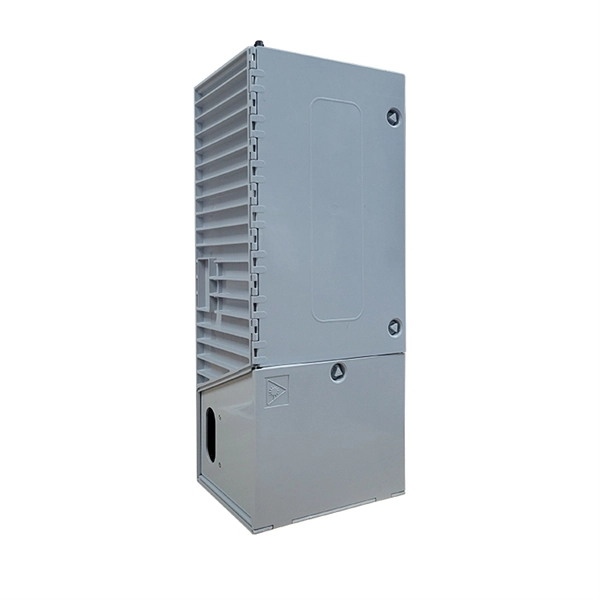
There must be ventilation holes located elsewhere on the cabinet, preferably towards the bottom to act as an air intake. Using fans to push air out will cause negative or lowered pressure within the cabinet. All ventilation fan systems should contain an intake and an exhaust variable, which can be fans or ventilation holes. Electronics such as. Wall-mounted network cabinets from manufacturers like Xianghe Tianhao Metal Products Co. How do I mitigate airflow & heat inside the. So I am currently designing a plan to ventilate an enclosed av cabinet. The cabinet already has some shelves built in that have space cut out of the back for wire management. After all, sealing these gaps (both within and along the sides of cabinets) often provides the greatest return on investment of any airflow management effort, both.
Unlike large server racks, wall-mounted cabinets are compact and space-saving, which raises concerns about airflow and heat dissipation. Moreover, this guide shows you exactly how to avoid the mistakes that cause 50% of data center outages. Network switches, routers, patch panels, and other equipment generate heat during operation. Overheating can cause equipment performance degradation or even permanent damage. This has fueled the need to install cabinet cooling equipment to ensure that the telecom. With electronic devices, nearly 100% of the energy consumed is going to heat, so that's like having a 300W space heater sitting in an enclosed space. Ahh right, so then usually wall mounted cabinets don't have anything else around them? So they just. According to the American Society of Heating, Refrigeration, and Air-Conditioning Engineers (ASHRAE), server rooms should be kept at 59 degrees F to 89.
[PDF Version]
In this blog, we will take a deep dive into the world of network cabinets and explore the top 10 creative designs that will shape the year 2024. These innovative rack designs will not only optimize space utilization but also enhance functionality and efficiency. With smart homes getting smarter every day, more devices need secure homes too. From your Wi-Fi router to security. The rack should be elegant/aesthetically pleasing, on casters, fully enclosed with elegant lights a plus. Perfect for organizing home equipment. With so many options, it's easy to feel overwhelmed. Whether you need a wall-mounted or floor-standing rack, the right choice can make a big difference.
Managed switches offer advanced features like VLANs and Quality of Service (QoS). Routers: Direct traffic between networks and provide internet access. Network Interface Cards (NICs): Expand. This chaotic scene is a network administrator's nightmare and where the unsung hero, the Network Cabinet, steps in. The primary purpose of a network cabinet is to provide a centralized location where all. Network cabinets, often referred to as server racks or network enclosures, are critical components in data centers, server rooms, and network infrastructure installations. It is a. Data center racks are metal frames used for organizing IT equipment such as servers and switches. It keeps the server room cool, dry, and clean. Having an efficient cooling system helps keep your equipment running at its best performance.
The most popular brands for Kvm Switch Includes Belkin, IOGEAR, StarTech, TRENDnet, Tripp Lite, Black Box, Raritan, D-Link, Lindy, Linksys among many others. A KVM (Keyboard/Video/Mouse) Switch is a piece of hardware that allows you to control multiple computers with a single keyboard, display (video), and mouse. It is also sometimes referred to as a CPU Switcher or PC Switcher. Belkin is a market leader in accessories and strives to deliver audio, connectivity, home automation, productivity, protection, power, and. Explore the top 10 leading KVM Switches companies driving technological advancement and competitive differentiation in a market forecasted to reach $2.
This article examines common methods for installing indoor optical fiber and outlines the requirements for the job. OPGW, all-dielectric self-supporting cable, and OSFP 400G transceivers are part of modern SDGI, so we'll also discuss it. These fibers are typically made of glass or plastic and are designed to transmit data over longer distances and at higher bandwidths than other forms of communication cables. For various reasons and purposes, fiber optic cables have. North America has the biggest revenue share at 35%. Asia Pacific is growing very fast. Leave extra space for future changes. Future-Proofing: Indoor fiber optic infrastructure is a key element of future-proofing. Optical fiber cables designed for the indoors are integrated with these important characteristics: Exceptional Flame Resistance: Overall performance is not compromised by emergencies.
The original PoE standard, IEEE 802.3af-2003, now known as Type 1, provides up to 15.4 W of power (minimum 44 V DC and 350 mA) on each port. Only 12.95 W is guaranteed to be available at the powered device as some power dissipates in the cable. The first update to PoE, IEEE 802.3at-2009, introduced Type 2, also known as PoE+ or PoE plus. It provides up to 25.5 W and prohibits the use of four pairs simultaneously for power.
Most rack cooling systems utilise server rack fans or data rack fans that draw cool air from the front or bottom of the rack. They then exhaust hot air out the rear or top, creating a directed airflow path to dissipate heat efficiently. Choosing the right type of fans and positioning them properly allows data center managers to bring cool air in from. Learn how server rack cooling prevents overheating, boosts performance, and ensures reliability with expert tips and advanced solutions. High temperatures can damage CPUs, GPUs, and storage devices, leading to costly failures. Implementing effective rack cooling ensures:. Forced cooling enhances airflow using powered fans and blowers to push air across equipment. It's the most common method for modern data center racks. Ideal. A server rack must be cooled efficiently so that the data center infrastructure performs at its optimum level and lasts longer according to uptime guarantees.
[PDF Version]
- Solutions: Clean connectors and end faces using specialised cleaning tools and solutions, inspect cables for bends or breaks and replace damaged sections, ensure compatibility and proper alignment of fibre optic components. Despite their robustness, fiber networks can fail due to: Physical Damage : Cuts, bends, or contamination in fiber cables or connectors. Hardware Failures : Faulty transceivers, switches, or routers. Environmental Factors :. Take care of the basics These are the basic things you should do first, in the order below or in whichever way that's convenient. You can also do just one or all of them until the issue is fixed. Specifically, locate. Faulty Connections: Loose or mismatched connectors, or a worn-out fiber optic adapter, can cause intermittent or total loss of connectivity 1 4. - Symptoms: Gradual decrease in signal strength over long distances.
Contact us for competitive quotes on any of our power communication and smart grid products
Get a Quote